

Quick verdict: AI Execution Engine (AIEE) is a no-code studio for building small, branded AI tools, called Engines, that you can use yourself, give to customers or sell access to. On paper, the idea is specific and useful: teach an Engine from your own website, PDFs, notes or course lessons, wrap it in your branding, and put it on a page or inside a member area. The headline price of $47 one-time is low for that scope. The catch is that you pay your AI providers separately, the plan tiers beyond Basic are not clear on the sales page, and every fact we have comes from the seller. This review scores AIEE 6.6 out of 10: a credible tool for creators, course sellers and service providers who are comfortable managing API keys, and not yet proven.
Affiliate disclosure: AI Growth Verdict earns a commission if you buy AI Execution Engine through the links in this review, at no extra cost to you. The commission does not change the score or the criticisms below. Our affiliate links are marked as sponsored.
How this review was made: This is a source-based review, not a hands-on test. We did not create an AIEE account, build an Engine, connect an API key, test a Dyno, open checkout, or read the license and refund terms. Every product fact below comes from one place: the vendor's public sales page, scanned on 15 October 2026. Where the page makes a claim, we call it a sales-page claim. Where we have not seen proof, we say that too.
AI Execution Engine review: the short answer
What is AI Execution Engine? According to its sales page, AI Execution Engine is a no-code studio for building focused, branded AI tools. Each tool is an Engine. An Engine can be a chat, a form, or a form combined with chat, and you set its name, logo, colors, conversation starters and behavior in plain language.
Is AI Execution Engine worth it? It may be, for someone who wants to package expertise as an AI assistant or turn a knowledge base into a tool customers can use, and who accepts that the AI usage bill comes from separate provider accounts. It is a weaker fit for anyone who wants a finished, hands-off business or expects a flat all-in price. Because we have not tested it, "worth it" depends on what you confirm at checkout and in the license.
How much does AI Execution Engine cost? On 15 October 2026 the sales page showed a one-time price of $47 for the front-end offer, a coupon code, EARLYBIRD10, described as $10 off, and a countdown stating that the price rises at 11:59 PM EDT on Friday, 16 October 2026. The page also says there is no monthly fee. We did not open checkout, so the final price, coupon behavior and timer may differ from what you see.
Does the $47 cover AI usage? No, based on the page. AIEE says it works with your own AI provider accounts and API keys, and that those providers bill you directly for usage. "No monthly fee" refers to AIEE's own subscription, not to the cost of running AI.
Key takeaways
- Best for: coaches, course creators, membership owners, consultants and freelancers who want to deliver AI tools trained on their own material.
- Standout features (as advertised): Chat, Form and Form + Chat formats, learning from a whole-website crawl, PDFs, notes and ProductDyno course content, and several ways to embed or deliver an Engine.
- Main concern: ongoing API costs, setup work and unclear Pro and Complete Bundle details sit outside the $47 headline.
- Evidence level: seller material only. No independent testing and no verified user data.
- Refund: the page advertises a 14-day money-back guarantee. We have not read the written terms.
- Score: 6.6/10.
Check the current AI Execution Engine offer
AI Execution Engine scorecard
The score rewards what the page describes clearly and penalizes what it leaves open. Each category is scored out of 10, using only the sales page, and the overall score is the plain average.
| Category | Score | Why |
|---|---|---|
| Feature scope (as described) | 7.5 | Three tool formats, several knowledge sources, many models, action tools (Dynos), branding and multiple delivery routes in one studio. |
| Buyer fit for creators and service sellers | 7.5 | The use cases match real jobs: member support, lead capture forms, client-facing assistants and sellable tools. |
| Pricing and cost clarity | 6.0 | The $47 one-time price is clear. Ongoing API costs depend on you, and upgrade tiers are not clearly priced. |
| Quality of evidence | 5.5 | Capabilities are listed in detail, but there is no independent test, sample output or verified customer data. |
| Terms and plan visibility | 6.5 | Commercial rights and a refund are advertised, and the Basic limits are stated. The license text and Pro and Complete Bundle details were not visible to us. |
| Overall | 6.6 / 10 | A broad toolset at a low entry price, with unresolved costs, tiers and proof. |
Video: a look at AI Execution Engine
The video below was supplied by the person who requested this review, and we embedded it for your convenience. We did not use it as research for this article, and nothing in the review depends on it. Watch it alongside the checklist further down and note which of the questions it answers for you.
What AI Execution Engine is, in plain terms
AI Execution Engine is presented as a studio where you design AI tools without writing code. Instead of one general chatbot, you build narrow tools that each do one job: answer questions about a course, qualify a lead through a form, draft a document from a few inputs, or guide a client through a process. The sales page calls each of these an Engine.
The page frames this as a way to create tools that people can use or pay to access. That puts AIEE in an unusual spot. It is partly a builder for your own workflows, partly a toolkit for packaging AI as a product, and partly a delivery layer, since it can serve Engines to your audience through embeds or through ProductDyno.
Two terms matter throughout the page. An Engine is the AI tool you build and brand. A Dyno is an action an Engine can take, such as searching the web or generating a PDF. Keep those two apart and the rest of the offer becomes easier to read.
AI Execution Engine features: Chat, Form and Form + Chat
The sales page lists three Engine formats. Each fits a different job.
Chat Engines
A Chat Engine is a conversational assistant. A visitor types a question and the Engine answers using whatever you taught it. This is the natural format for support, onboarding questions, course companions and "ask the expert" experiences.
Form Engines
A Form Engine collects structured inputs, then returns a result. Think of a short questionnaire that produces a tailored plan, a draft, or a recommendation. Forms suit situations where you want consistent inputs, because a visitor who fills in four fields gives the model more to work with than a vague one-line chat message.
Form + Chat Engines
The combined format starts with a form and then lets the visitor keep talking to the Engine. A visitor might answer five questions, receive a first result, then ask follow-up questions about it. This is the most flexible format on paper, and also the one we would most want to test, because the quality of the handoff between form and chat decides whether it feels useful.
Branding and behavior
The page says you can give each Engine a name, logo and colors, add conversation starters, and describe how it should behave in plain language. The Basic offer supports this branding. A "Powered By" badge remains on the front-end plan, so the tool is branded as yours but still carries a vendor mark unless you move to a tier that removes it. The page ties badge removal and custom domains to the Pro and Complete Bundle options.
How a knowledge-grounded AI Engine could be built and used
We have not built an Engine, so this section describes the workflow the sales page implies, not a tested process. The steps below are an illustration of how a buyer might work with the product.
- Choose one narrow job. A tool that answers "What is in module three of my course?" is easier to judge than one that tries to answer everything about your business.
- Pick the format. Use Chat for open questions, Form for structured outputs, or Form + Chat for both.
- Teach the Engine. Per the page, you can feed it a whole-website crawl, PDFs, notes and ProductDyno course content.
- Write the instructions. Describe in plain language how the Engine should respond, what tone to use and what it should refuse to do.
- Choose a model and any Dynos. Select the AI model through your connected provider and decide which actions the Engine can use.
- Brand it. Add the name, logo, colors and conversation starters.
- Publish it. Embed it on a page or deliver it through a member area.
- Check the answers before customers do. Ask the Engine the ten questions your customers ask most and compare its replies to your own material.
Step eight is ours, not the sales page's, and it is the step that decides whether a knowledge-grounded Engine is safe to put in front of people. A model trained on your material can still answer incorrectly, so test it with real questions first.
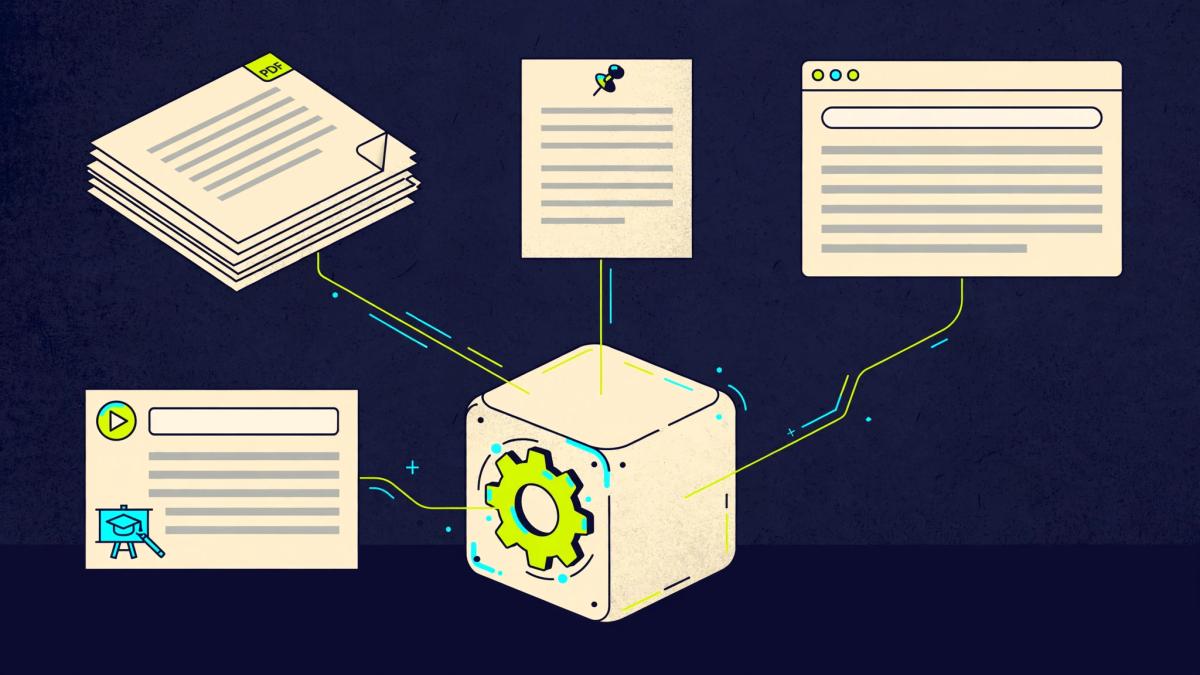
What AIEE can learn from: supported knowledge sources
The knowledge side is the most commercially interesting part of the offer, because an AI tool trained on your own material is more specific than a general chatbot. The sales page names four source types for teaching an Engine.
- A whole website crawl. The Engine can learn from the pages of a site rather than from a single URL.
- PDFs. Guides, manuals, workbooks and reports can become reference material.
- Notes. Typed or pasted notes let you add rules, definitions and answers that exist nowhere else.
- ProductDyno course content. If you host courses on ProductDyno, the lessons can feed an Engine.
The page ties expanded knowledge sources and more or unlimited file inputs to Pro or Complete Bundle options. Treat the Basic list as the floor, and confirm your own source needs against the limits at checkout. If your material lives in a format the page does not name, such as a video library or a large document archive, do not assume it works.
One honest limit applies to any tool in this category. An Engine can only reflect what you give it. Outdated pages, contradictory PDFs or thin notes produce weak answers, and that is a content problem a builder cannot fix for you.
Dynos: the actions an AIEE Engine can take
Dynos are what separate an Engine from a plain question-and-answer bot. The sales page describes Dynos as actions an Engine can run during a conversation. The list includes:
- Live web search with sources
- Image generation
- PDF creation
- Video generation with Veo 3, Kling or Seedance
- Web fetch, to pull in a specific page
- Screenshots
- File-upload analysis
Some of these map cleanly to useful products. An Engine that searches the web and cites sources could support a research assistant. One that turns a form submission into a PDF could produce a branded plan or checklist. File-upload analysis could let a customer submit a document and receive feedback.
Two cautions apply. First, Dynos that generate images and video draw on provider usage, and video generation is typically the costliest kind of AI use. We did not research provider prices, so check them before enabling it for customers. Second, a long list of actions does not mean every one will perform well. We saw no sample outputs, so we cannot judge the quality of any Dyno.
AI models: GPT, Claude, Gemini, Grok and OpenRouter
The page lists GPT, Claude, Gemini and Grok, plus hundreds of other models through OpenRouter. Model choice matters because different models differ in writing style, speed, reasoning and cost. Being able to switch gives you room to match the model to the job, using a lower-cost option for routine questions and a stronger one where accuracy matters.
The flip side is responsibility. Because AIEE uses your own provider accounts, you decide which models your Engines call, you hold the keys, and you carry the bill. We did not verify the model list, how fast new models arrive, or how AIEE handles a provider outage.
Embedding and ProductDyno delivery
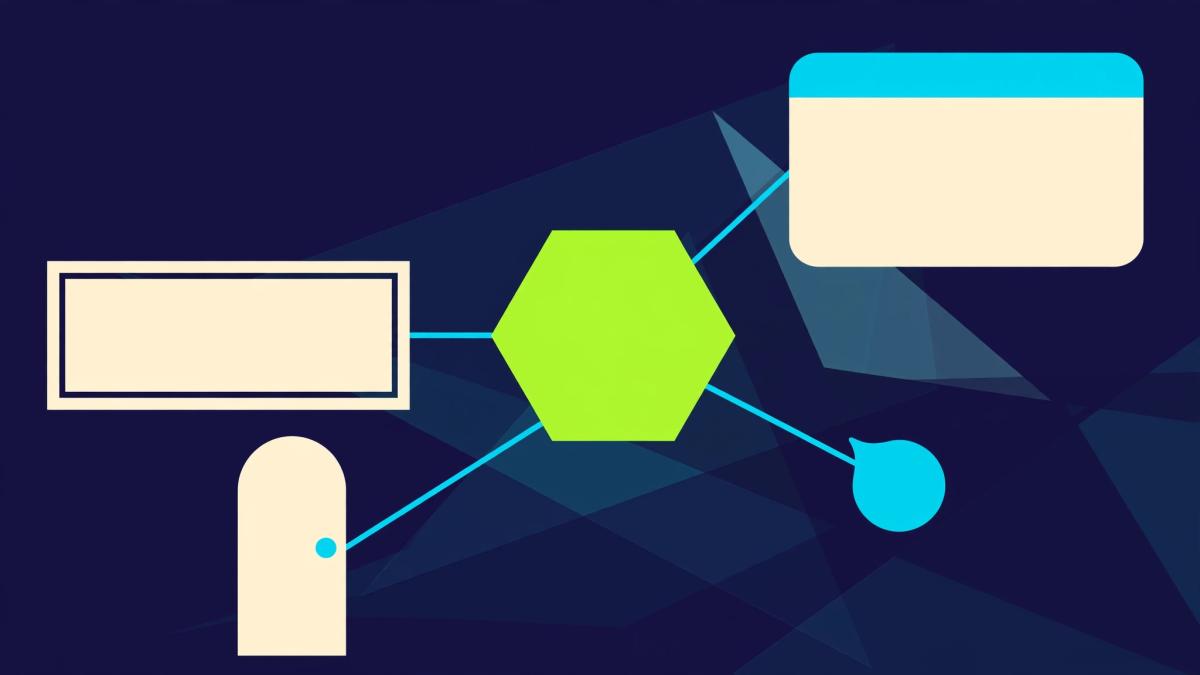
An AI tool is only useful if people can reach it. The sales page lists four ways to present an Engine:
- Inline embed: the tool sits inside a page, like a calculator or a video.
- Popup: the tool opens in a window when a visitor clicks a button.
- Chat bubble: a floating assistant appears in the corner of your site.
- ProductDyno delivery: the Engine is delivered through ProductDyno, with logins, a member area and product delivery.
ProductDyno is included with the offer, but the page says it is not mandatory for standalone embeds. That distinction matters. If you already run a site and only want a tool on it, the embed routes should cover you. If you want to charge for access, ProductDyno gives you logins and delivery in one place. You do not have to adopt it to use AIEE, and we would not describe it as required.
What the page does not show is how the paid access works in practice: how a customer signs up, how payments are handled, or what a buyer's customers see. Ask those questions before you plan a paid tool around it.
AIEE commercial rights: what the sales page claims
The page says AIEE comes with full commercial rights. As described, that includes selling Engines, using them with customers, students and members, and building them for clients. That is a significant claim, and the one most likely to decide whether a freelancer or course seller sees the product as a business tool or a personal one.
We would treat it as a seller claim until you have read the text. The page says rights are subject to the AIEE license terms and to platform policies, and we did not open either. "Full commercial rights" on a sales page can be narrower in the license, covering for example reselling the software itself differently from selling what you build with it. Provider rules also apply to what you can do with model output.
Practical steps before you build a client project on AIEE:
- Read the license for what you may sell, to whom, and whether client work is covered.
- Check whether any rights depend on the plan, since the page ties several features to higher tiers.
- Check the policies of your AI provider for the use you intend.
- Keep a copy of the terms you accepted on the date you bought.
This is not legal advice, and we make no claim that the commercial rights have been legally verified.
Who AI Execution Engine fits, and who should skip it
Creators and coaches
If you have a body of teaching material, an Engine trained on it could answer repeat questions and point people to the right lesson. The appeal here is time: the same ten questions often arrive every week. The risk is wrong answers, so keep the Engine narrow and review its replies.
Course sellers and membership owners
The ProductDyno content source and member-area delivery suggest a deliberate fit for course sellers who already use ProductDyno. A course companion Engine is the clearest example. If your courses live elsewhere, check whether you can still load the material by PDF, website crawl or notes.
Freelancers and agencies
The client-work angle may be the strongest commercial use. A small agency could build a branded assistant for a client trained on that client's website. The questions to settle first are the license scope for client projects, who holds the API keys, and who pays for usage. A client who expects a flat monthly price needs a plan that accounts for provider costs.
Who should skip it
- Anyone who wants a finished product with no setup, no API keys and no testing.
- Anyone who needs a fixed, predictable monthly AI cost.
- Buyers who cannot spend an hour or two testing an Engine's answers.
- Anyone expecting the tool, on its own, to bring customers or income.
Genuine strengths
- A low one-time entry price for the stated scope. The page shows $47 one-time with no AIEE subscription, which is unusually simple compared with many AI builders that charge monthly.
- Three useful formats. Chat, Form and Form + Chat cover most small-business tool ideas.
- Several ways to teach an Engine. A website crawl, PDFs, notes and course content give you realistic routes to build something specific.
- Model flexibility. Access to GPT, Claude, Gemini, Grok and models through OpenRouter lets you match model to task.
- Control over spend. The page says you can set daily caps, and that you can let your own customers bring their own keys, which is a sensible way to keep usage costs off your account.
- Delivery options. Inline, popup, chat bubble and ProductDyno delivery cover most placements without forcing one platform.
- Honest income language. The page says income depends on your idea, audience and marketing, and makes no income promises. We agree, and we make none either.
AIEE API costs, setup and what you are responsible for
This is the section to read twice. The sales page says AIEE runs on your own AI provider accounts and API keys. In practice, that means five things.
- You create and manage provider accounts. Each provider you want to use needs an account and a key.
- Providers bill you directly. Every message, image or video an Engine generates draws on those accounts.
- Costs scale with use. A busy Engine, a heavy model, or a Dyno such as video generation will cost more than a light Chat Engine.
- You can cap spending. The page says you can set daily caps. Learn how they work before you launch.
- Customers can bring their own keys. The page says you can allow this, which could shift cost to the user, though it adds a step for them.
"No monthly fee" is therefore accurate in a narrow sense and easy to misread. It means no AIEE recurring subscription on the stated offer. It does not mean no ongoing cost. We did not research provider prices or rate limits, so we cannot tell you what a typical Engine costs to run. Run a small test with a daily cap and watch the first week of usage before you promise anyone a price.
Setup is also real work. Even with no code, you still need to gather and clean source material, write clear instructions, test answers and connect accounts. A no-code studio removes programming. It does not remove thinking.

AIEE pricing: the $47 offer, coupon and plan questions
AIEE pricing snapshot, 15 October 2026:
- A one-time price of $47, with no monthly AIEE fee stated.
- A coupon code, EARLYBIRD10, described on the page as $10 off.
- A countdown and a claim that the price increases at 11:59 PM EDT on Friday, 16 October 2026.
- Three bonuses, which the page values at $891 in total. That figure is the seller's own, not an independently established value.
Treat the timer and coupon as the seller's claims on the day we scanned. We did not open checkout, so we cannot confirm the final price, whether the coupon applies, or what happens when the countdown ends. Prices, codes and timers change, and a deadline is not a reason to buy. Decide based on fit, and check the live page for the current terms.
Basic, Pro and Complete Bundle: what is unclear
The page describes the Basic offer as including 5 Engines, branding with name, logo and colors, and a Powered By badge. It describes custom domains, badge removal, expanded knowledge sources, more or unlimited file inputs and session visibility as Pro or Complete Bundle features. The prices and exact tier boundaries were not clear on the page we scanned.
That leaves real buyer questions:
- Is five Engines enough for your plan, or do you need more?
- Do you need to remove the Powered By badge for client or paid work?
- Do you need a custom domain?
- Do your source files exceed the Basic limits?
- Do you want visibility into customer sessions, so you can see how people use an Engine?
If two or more of those matter, price the full path before buying, not just the front end.
See the AIEE price and current terms
Refund: the 14-day money-back guarantee
The sales page advertises a 14-day money-back guarantee. We attribute it to the page and did not read the written refund terms. Before buying, check how to request a refund, whether the window starts at purchase, and whether anything is excluded. Use the window to test the parts that matter to you: build one real Engine, teach it your material, embed it, and check the answers.
Limits and risks to weigh
- All evidence is seller-provided. We saw no independent testing, sample Engines or verified user results.
- Ongoing costs are open-ended. API usage grows with traffic and with the models and Dynos you use.
- Answer quality depends on your inputs and model. Weak material or a poor model choice produces weak answers.
- Branding has a limit at Basic. The Powered By badge remains on the front-end plan.
- Commercial rights are a claim until the license says so. We did not read it.
- Tier details are thin. Pro and Complete Bundle pricing and boundaries were not clear.
- Dependence on third parties. Your Engines rely on AIEE and on your chosen providers, so changes to either can affect you.
- Privacy and data handling were not covered. If you load customer or client material into an Engine, read how it is stored and processed first.
- No income is promised. The page says so itself, and results depend on your idea, audience and marketing.
Alternatives to consider before you buy
The right comparison depends on the job, not on a feature checklist. We did not compare prices, so use these as questions rather than rankings.
Static resources: an FAQ page, a help center or a PDF guide
If your customers ask a short, stable set of questions, a well-organized FAQ may serve them better than an AI tool and costs no usage fees. An Engine earns its place when questions are varied and the answers sit across many documents.
A generic AI chatbot
A general chatbot can draft, summarize and explain, and many people already pay for one. What it lacks by default is your branding, your embedded placement and a way to deliver it to customers. AIEE's pitch is the packaging and the delivery, not a smarter model.
A custom developer
Hiring a developer gives you control over design, data handling and integrations, with more cost and time. For complex or regulated use, that route may be the better one. For small, narrow tools, a no-code studio can reach a first version faster. Weigh what you need in control against what you can spend.
AIEE pre-purchase checklist
- Write down the one Engine you would build first and the question it answers.
- Confirm the source material exists and is current: pages, PDFs, notes or ProductDyno lessons.
- Open the live sales page and note the price, coupon, timer and any plan options.
- Find the Pro and Complete Bundle details and price your actual needs, including badge removal and custom domain.
- Read the license for commercial use, client work and any plan-based limits.
- Read the refund terms and note the deadline.
- Look up current prices for the AI providers and models you plan to use.
- Decide who pays for usage: you, your client or your customer with their own key.
- Plan to set a daily cap before you share any Engine publicly.
- Test the Engine with your ten most common questions and compare it to your own answers.
- Check how data is stored and processed before loading client or customer material.
Review the AI Execution Engine offer before you decide
Final verdict: 6.6/10

AI Execution Engine describes a useful and fairly specific product: a no-code studio for building branded, knowledge-grounded AI tools, with three formats, several knowledge sources, a long list of models and flexible delivery. The one-time $47 price with no AIEE subscription makes the entry cost easy to understand. For creators, course sellers and service providers who already think in terms of packaging expertise, the concept lines up with real work.
The score stops at 6.6 because the page leaves the costs that matter most outside the headline. AI usage is billed separately, the plan tiers are unclear beyond Basic, the commercial-rights claim is unverified, and nothing we could see shows how the tools perform. None of this makes AIEE a poor choice. It makes it a product to test inside the refund window, with a usage cap in place.
Buy it if: you have material worth turning into an AI tool, you are comfortable with API keys, and you can read the license before you build for clients.
Wait or skip it if: you need a fixed monthly cost, a finished product, a badge-free brand at Basic, or proof of performance before you commit.
Check the AI Execution Engine offer and refund terms
AI Execution Engine FAQ
What is AI Execution Engine (AIEE)?
AI Execution Engine is a no-code studio, according to its sales page, for building branded AI tools called Engines. Engines can be a chat, a form or a form with chat, and can be taught from websites, PDFs, notes and ProductDyno course content.
How much does AI Execution Engine cost?
On 15 October 2026 the sales page showed a $47 one-time price for the front-end offer, with a coupon code, EARLYBIRD10, described as $10 off and a stated price rise at 11:59 PM EDT on 16 October 2026. We did not open checkout, so check the live page for current terms.
Is there a monthly fee for AIEE?
The sales page says no monthly fee. That refers to AIEE's own subscription. You still pay your AI providers for usage through your own accounts and API keys.
What are AIEE API costs?
AIEE uses your own AI provider accounts, and providers bill you directly. The amount depends on the models, features and traffic you use. We did not research provider prices, so check them yourself and set a daily cap.
Does AI Execution Engine include AI usage?
No, based on the sales page. Usage is billed by the providers you connect. The $47 price covers AIEE access, not the cost of AI model calls.
Can you sell AI tools built with AI Execution Engine?
The sales page claims full commercial rights, including selling Engines, using them with customers, students and members, and building them for clients. The rights are subject to the AIEE license and platform policies, which we did not read, so confirm the terms before selling.
What is a Dyno in AIEE?
A Dyno is an action an Engine can perform. The page lists live web search with sources, image generation, PDF creation, video generation with Veo 3, Kling or Seedance, web fetch, screenshots and file-upload analysis.
Which AI models does AIEE support?
The page lists GPT, Claude, Gemini and Grok, plus hundreds of other models through OpenRouter. We did not verify the full list.
Do you need ProductDyno to use AIEE?
No. The page says ProductDyno is included but not mandatory for standalone embeds. ProductDyno is the route for logins, a member area and delivery.
How can AIEE Engines be embedded?
The page lists inline, popup and chat bubble embeds, plus delivery through ProductDyno.
What does the Basic plan include?
The sales page says AIEE Basic includes 5 Engines, branding with name, logo and colors, and several knowledge sources. A Powered By badge remains on the front-end plan.
What are the Pro and Complete Bundle features?
The page describes custom domains, badge removal, expanded knowledge sources, more or unlimited file inputs and session visibility as Pro or Complete Bundle features. Prices and exact tiers were not clear on the page we scanned.
Does AIEE have a refund policy?
The sales page advertises a 14-day money-back guarantee. We did not read the written terms, so confirm the process and any exclusions before you buy.
Will AI Execution Engine make money?
The sales page says income depends on your idea, audience and marketing, and makes no income promises. This review makes none either.
Is this AI Execution Engine review a hands-on test?
No. This is a source-based review built from the vendor's public sales page, scanned on 15 October 2026. We did not use the product.
Pricing, coupon, timer and plan details in this review reflect the sales page on 15 October 2026 and may change. Check the live offer before you buy.