

Affiliate disclosure: This page contains affiliate links. AI Growth Verdict may earn a commission if you buy through them, at no extra cost to you. Commissions do not change the score or the verdict. This is a source-based editorial review, not a hands-on test. We read DirectorAI's sales page and its official Terms and Refund Policy. We did not buy, log in, generate a video, or verify any result. Every feature, price, and number below is a vendor claim unless we say otherwise.
Quick Answer: DirectorAI Review 2026 Verdict (6.8/10)
DirectorAI is an AI video generator that describes itself as an "AI Creative Director." It earns 6.8/10 from us as a promising idea with buyer-critical gaps. You give it a plain-English goal. The sales page says it researches trends, drafts a brief and script, then produces a finished video across six studios: Avatar, UGC, Faceless, Talking Photo, Podcast, and Translation. Putting research, scripting, and production in one workflow is the strongest part of the pitch.
The score is held back by what the page does not say. It lists no per-video credit cost, no model or data sources behind "Live Trend Intelligence," and no clear rules for what Auto-Mode approves on its own. It does not explain how "unlimited" fits with finite credit balances, and it does not say whether the tool publishes to your accounts or only exports files. The official Terms are silent on lifetime access and on who owns generated outputs. The earnings examples on the page are unverified. A $27 entry price makes a controlled test cheap. It does not answer those questions for you.
Best For
- Affiliate marketers and creators who publish short vertical videos and want one tool for hooks, scripts, and finished clips.
- Small businesses that need an AI video ad creator for product, local-service, or explainer clips without hiring an editor.
- Marketers who want an AI UGC video generator or AI faceless video generator to test several creative angles quickly.
- Buyers who will run a small, documented trial inside the refund window before committing to a larger plan.
Not For
- Agencies that need written output-rights terms before delivering generated videos to clients.
- Anyone expecting direct social posting or scheduling, which the page does not clearly document.
- Buyers who need a fixed cost per video, because the credit math is not published.
- Readers who treat the page's income examples as typical. They are not independently verified.
Pros
- One brief-to-video workflow that covers research, direction, scripting, and production, as described.
- Six named studios, including AI avatar video, AI talking photo, podcast-style, and AI video translation.
- Claimed 50+ voices, 30+ translation languages, captions, overlays, music, and HD export in vertical, square, and landscape.
- Director Mode, which the page says lets you review and adjust a brief before production.
- A low displayed entry price of $27 one-time for Standard Access, plus a 30-day refund route with stated conditions.
Cons
- No published credit cost per video, length cap, or credit expiry.
- "Unlimited" language sits beside fixed balances of 10,000 and 50,000 credits.
- Auto-Mode approvals and direct publishing are not defined.
- Terms do not state lifetime access, renewal rules, or commercial rights to generated outputs.
- The refund policy is narrower than the sales page's headline guarantee.
- No independent evidence for the trend, speed, income, or engagement claims.
See the current DirectorAI offer and checkout terms
How We Scored DirectorAI
The 6.8 is the simple average of six category scores, rounded to one decimal. The first two scores describe the product as advertised. The others reflect how much of the advertised product we could confirm from documents. Since we did not test the software, we gave no category a score that depends on output quality.
| Category | Score | Reason |
|---|---|---|
| Workflow concept | 8.0 | Goal, research, brief, script, and video in one flow is a clear fit for short-form marketing. |
| Studio and format breadth | 8.0 | Six studios plus translation, captions, and three aspect ratios cover most short-video needs on paper. |
| Pricing clarity | 6.0 | The cards are clear. The $197 reference, "unlimited" wording, and possible recurring plan are not. |
| Rights and terms clarity | 6.0 | The page promises a commercial license. The Terms do not define output rights. |
| Evidence for claims | 5.5 | Income, trend, and engagement claims have no documented method or independent source. |
| Buyer-fit flexibility | 7.5 | A low entry price and a refund window make a small trial reasonable. |
What Is DirectorAI?
DirectorAI is an AI creative director software product sold through a launch page at getdirectorai.com. The vendor calls it the "World's FIRST Gen-3 AI Creative Director." That is a marketing label. We found no definition of "Gen-3," no model name, and no comparison that would support "first."
The practical idea is simple. Most AI video tools start with a script or a prompt you write. DirectorAI says it starts one step earlier, with a goal such as promoting a product or reaching a niche. It then claims to research what is working, choose a direction, write the script, and generate the video. If that works as described, the tool takes over the creative-planning work that usually sits with a person who knows the platform.
The page names many use cases: short social videos, ads, Reels and Shorts, affiliate promotions, product videos, explainers, tutorials, reviews, listing tours, e-commerce, restaurant and local-business marketing, SaaS, fitness and health, real estate, and education. That breadth is common in launch pages. Treat the list as the vendor's positioning, not as evidence of quality in each niche.
How Does DirectorAI Work?
The sales page describes a five-stage path from idea to finished video. Here it is in plain terms, with our notes on what is and is not specified.
- Enter an input. You provide a goal, keyword, image, or video. The page does not list file types, size limits, or an upload process.
- Research. The page says "Live Trend Intelligence" looks at hooks, angles, and formats. It names no platforms, data sources, sampling method, or refresh schedule.
- Director's Brief. The AI Director chooses a direction and drafts a script. In Director Mode you can review and tweak the brief first.
- Director's Cut. The tool generates the video. The page describes voices, avatars, captions, backgrounds, overlays, music, and smart editing.
- Approve and use. The page says you can post the result, run it as an ad, or deliver it to clients. It does not define how posting works.
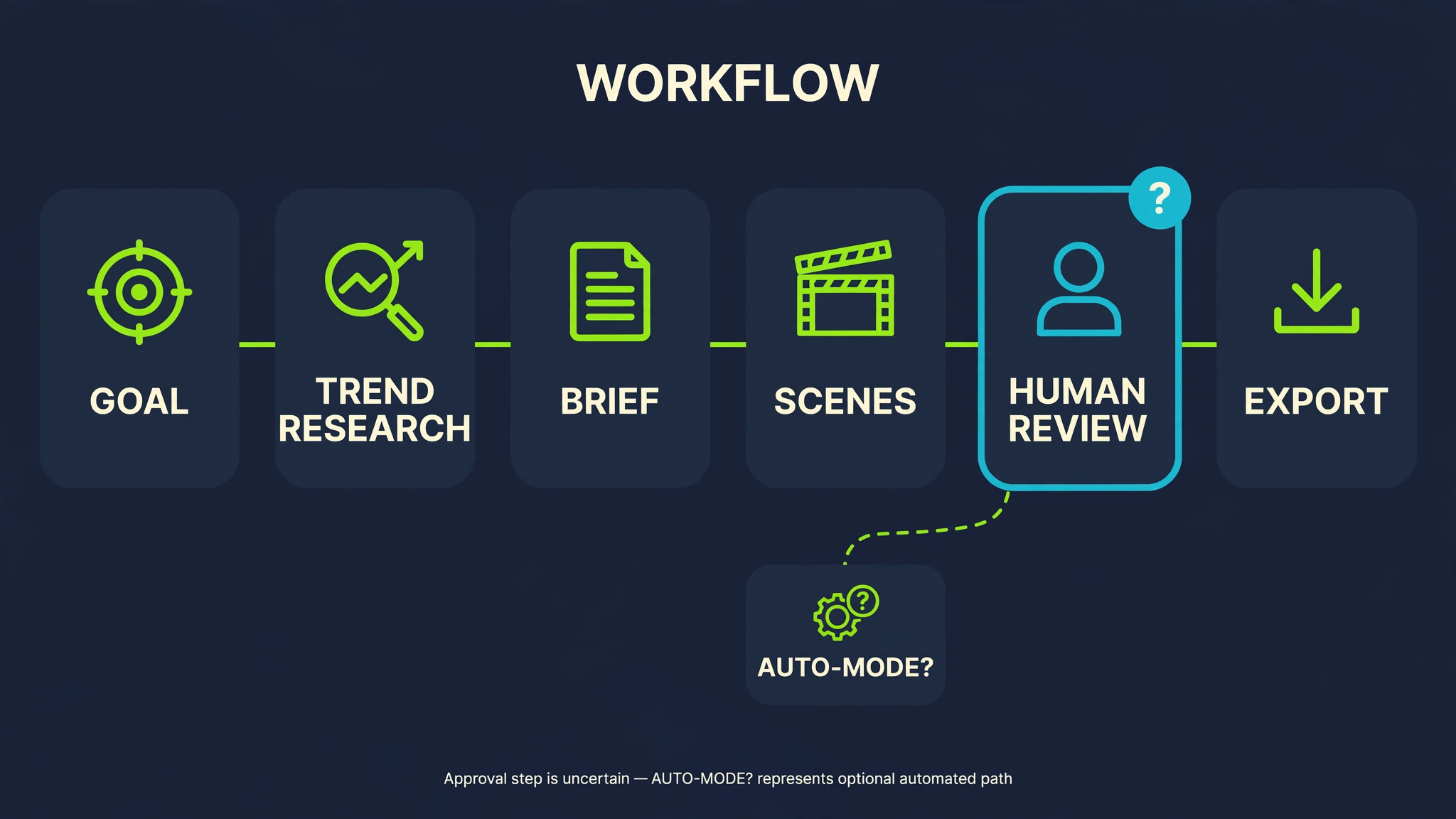
The speed claim deserves a note. The page says generation takes "seconds" in places and "within minutes" in others. It publishes no benchmark, clip length, or service-level promise. Speed will depend on the clip, the studio, and server load, so measure it in your own trial.
Check how the DirectorAI workflow is presented at checkout
What Studios and Video Types Can DirectorAI Create?
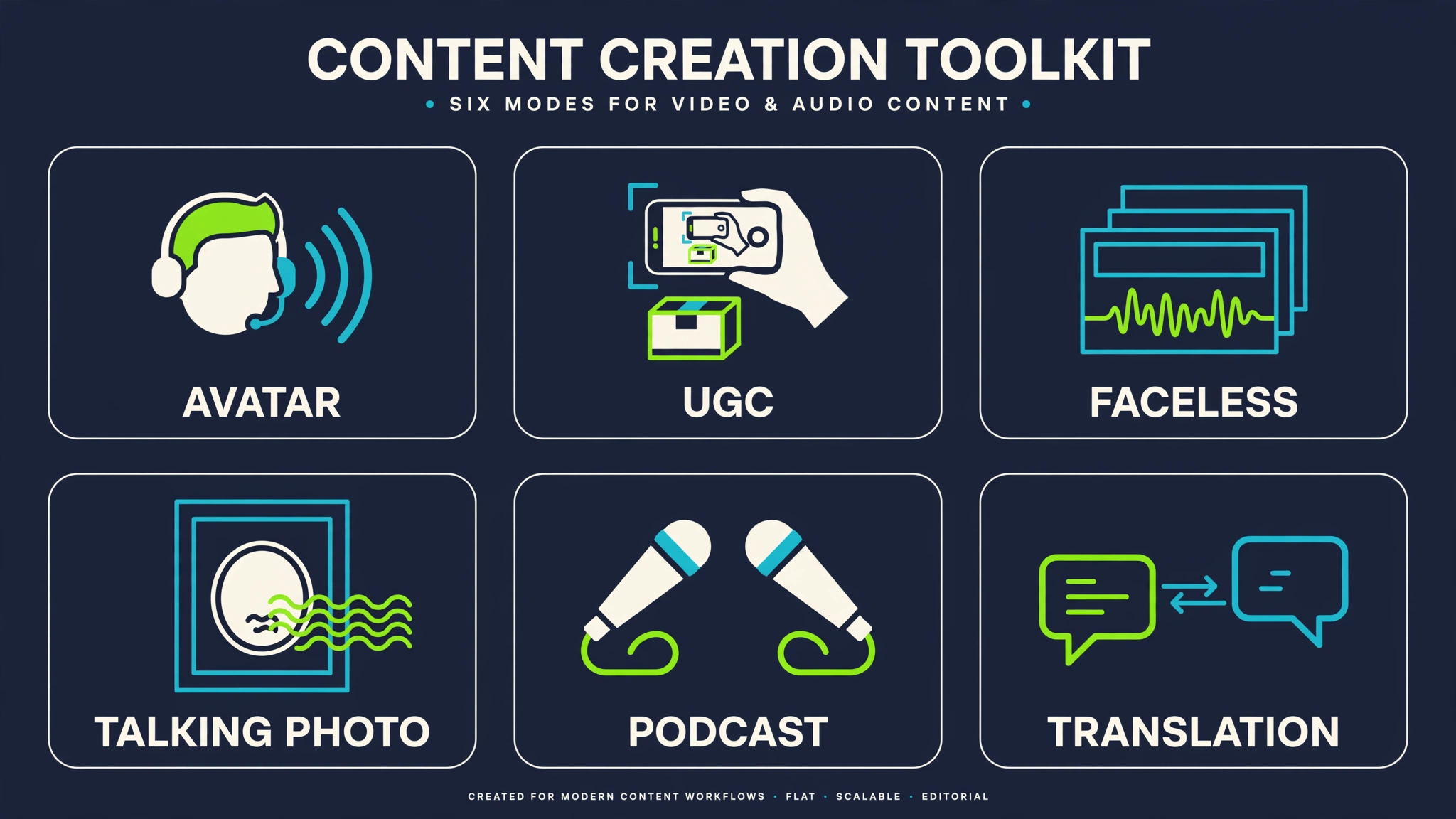
The page groups output into six studios. This is the most concrete part of the offer, and it is where a DirectorAI AI video generator comparison with other tools should start. Each row lists the claim and the question we would ask before relying on it.
| Studio | What the page claims | Question to test |
|---|---|---|
| Avatar | Presenter-style AI avatar video with voice and lip-sync. | Does lip-sync hold on longer lines? Can you pick the presenter? |
| UGC | Creator-style clips for ads and product promotion. | Does it read as authentic, and is that allowed on the ad platform you use? |
| Faceless | Videos built from scenes, voiceover, captions, and music with no on-screen person. | Are scenes relevant to the topic, or generic? |
| Talking Photo | Animates a still image so it speaks. | Does it work with your own images? Who owns the likeness rights? |
| Podcast | Two-host conversation-style videos. | Do the hosts sound natural across a full script? |
| Translation | Translation and dubbing in 30+ languages. | Is the dubbing accurate in your target language, and does the mouth match? |
Beyond the studios, the page lists 50+ voices with accent and emotion options, captions and subtitles, backgrounds, overlays, call-to-action and text overlays, music, and smart editing. Export is described as HD in vertical, square, and landscape, aimed at Reels, Shorts, TikTok, YouTube, and Facebook. "HD" is the only resolution detail given. There is no mention of 1080p versus 4K, frame rate, maximum duration, or file format.
If you want an AI avatar video tool, an AI talking photo feature, and AI video translation in one subscription-free package, the breadth is the draw. The tradeoff is the usual one for all-in-one tools. A suite can be wide and still be shallower than a specialist in any one area.
Director Mode vs Auto-Mode: What Do You Actually Approve?
The page offers two ways to work. Director Mode lets you control the format and angle and review the brief before production. Director Auto-Mode is advertised as handling research, decisions, writing, and production hands-free.
Here is the conflict. Elsewhere the page says you can "review every generated detail before production" and mentions approval repeatedly. The Auto-Mode copy says there are no extra steps. The page never says whether Auto-Mode still stops for a final approval, whether it can run on a schedule, or whether it can send output anywhere without you.
This matters for brand safety. A fully hands-free tool that can write claims, pick a presenter, and produce an ad needs guardrails. In your trial, run Auto-Mode on a neutral topic and note what you see before anything is final. If Auto-Mode does not pause for review, treat every output as unreviewed and read the script and captions before you use the clip anywhere public.
Does DirectorAI Post Videos Automatically?
Direct answer: the sales page does not document automatic posting. Its workflow says you create the video, approve it, then post it, run it as an ad, or deliver it to clients. That sentence describes what you can do with the file. It does not say DirectorAI connects to your accounts, schedules posts, or publishes for you.
The page also gives no details about account connections, an API, or supported integrations. "Ready-to-post" in this review means an exported video file. Until the vendor documents social publishing, plan for a manual step: download, upload to each platform, add your caption and tags, and schedule with the tool you already use. If direct publishing matters to your workflow, ask support in writing before you buy.
DirectorAI Claims vs Evidence
A sales page is advocacy. This table separates what the vendor says from what we could and could not confirm from the documents. None of it reflects hands-on testing.
| Claim on the page | What we could confirm | What remains unclear |
|---|---|---|
| "World's FIRST Gen-3 AI Creative Director" | The wording appears on the page. | No definition of "Gen-3" and no basis for "first." |
| "Live Trend Intelligence" researches hooks and formats | The feature is named and described. | No sources, method, scoring, or refresh rate. |
| Videos generate in seconds or minutes | Both phrasings appear. | No benchmark, clip length, or guarantee. |
| Unlimited uploads and storage | The wording appears. | Credit balances are finite, and no caps are listed. |
| Commercial license included | The sales page says so. | The Terms do not define output rights. |
| 30-day money-back guarantee | A refund policy exists. | It is conditional. See the refund section below. |
| "$2,750-$8,500+ a month, bare minimum" and "Verified" cases | The page shows them. | No method, timeframe, expenses, or proof DirectorAI caused them. Do not treat as typical. |
| Before and after: 14 likes vs 2.8K likes | The comparison appears. | It is not a controlled test. |
The page footer itself says the product does not guarantee income or success and that results are not indicative of future results. It also states that JVZoo is the retailer and that retailer status is not an endorsement or review. Read the earnings figures in that light.
How Many Credits Does a DirectorAI Video Use?
The sales page does not say. That is the biggest practical gap in this DirectorAI review 2026. Standard Access shows 10,000 credits. Complete Access shows 50,000. No page we read gives a credit cost per video, per second of output, per studio, per translation, or per voice. It lists no credit expiry, refill schedule, or maximum video length.
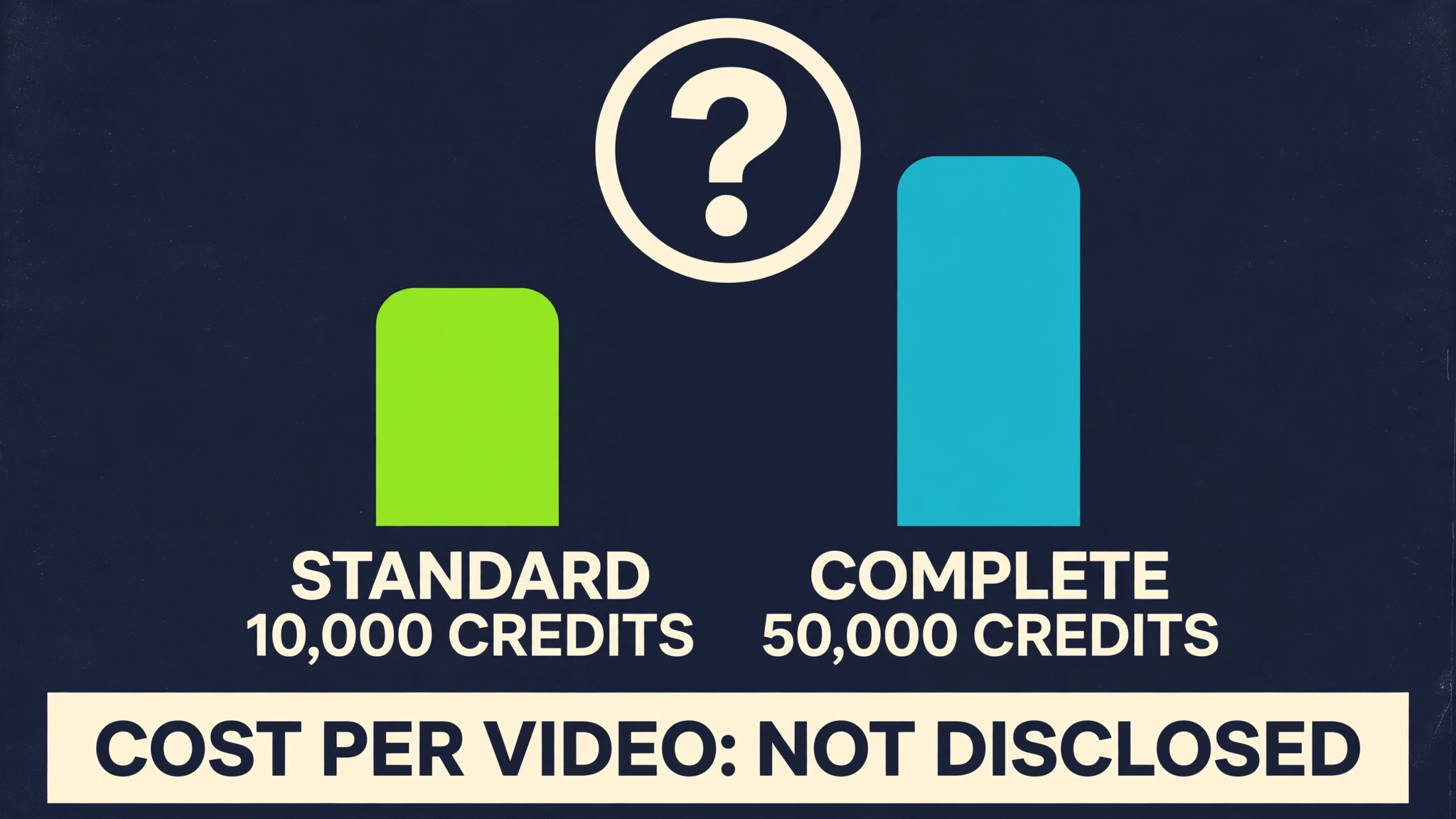
The credit gap also collides with the "unlimited" language. The page says uploads and storage are unlimited, and it repeatedly stresses "use forever." A balance of 10,000 credits is a ceiling, not an unlimited supply. We cannot tell whether "unlimited" refers only to storage, whether credits stop at zero, or whether you can top up. We do not guess a figure, and neither should you. Two clips from different studios can cost very different amounts.
The cleanest way to find out is to generate one short video in each studio you plan to use, then compare your credit balance before and after. Multiply that by the number of videos you publish in a month. That DirectorAI credits calculation will tell you whether Standard is enough or whether the 50,000-credit Complete tier is the realistic option.
What Does DirectorAI Cost? Pricing and Package Comparison
The page shows two package cards. We use these as the clearest displayed DirectorAI pricing, but confirm every number at checkout, because we did not verify the live order form.
| Item | Standard Access | Complete Access |
|---|---|---|
| Displayed price | $27 one-time | $397 one-time |
| Credits | 10,000 | 50,000 |
| Included per the page | Front-end feature list, commercial license, standard support, future updates, cloud hosting | Front end plus named upgrades, priority VIP support, free future updates |
| Named bonuses | AI Image and Art Generator, AI Thumbnail Maker, AI Copywriter and Sales-Copy Generator, AI Logo and Brand Kit Maker | AI Graphics and Social-Post Designer, Stock Media and Asset Library, AI Voice-Over/TTS Studio, Bio-Link Page Builder, Custom GPTs Builder, AI Webinar Builder, Private VIP Mastermind and Community Access |
| Named upgrades | None listed | DirectorAI PRO ($97), DFY ($67), Automation ($97), Business ($197) |
The upgrade names and prices are on the page. Their individual benefits are not clearly explained, so we list them without describing what they do. The page also assigns dollar values to the bonuses, with the Standard stack totaling $488. Those are the vendor's value labels, not market prices, and most buyers will judge the bonuses by whether they would use them.
Compare DirectorAI Standard and Complete at checkout
Is the $27 DirectorAI Offer Really One-Time?
The cards say one-time. Other lines on the page complicate that. The headline says the buyer gets "ALL Of It," yet the cards separate a $27 tier from a $397 tier. A button reads "Real Price $197 Monthly pay just $27 Once And Use Forever!" with no explanation of where the $197 comes from. The page also says the offer "may move to a recurring plan" after the launch window. That conflicts with a broad "no monthly fees" pitch.
The official Terms of Service do not settle this. They do not define how long access lasts, whether anything renews, or how cancellation works. So before paying, check what the order form says about billing frequency, what you are charged today, and what happens when the launch window ends. Save a screenshot of the order page. Coupon codes appear on the sales page, but we did not check whether they work or how long they last, so we make no discount promise.
Does DirectorAI Include Commercial Rights to the Videos?
The sales page says a commercial license is included. The official Terms do not clearly say what that covers. This is the question agencies, freelancers, and ad buyers should settle first.
What the Terms do say: DirectorAI and/or its licensors own the intellectual property in material on DirectorAI, and users may not republish, sell, rent, sublicense, copy, or redistribute that material. What they do not say: who owns the videos, scripts, voices, avatars, or stock assets that the tool generates for you, and what you may do with them commercially. The Terms also do not set an update or support duration, define a response-time guarantee, or promise uptime.
Other points from the Terms worth knowing: they mention cookies and point to a separate privacy policy, so we have no detail on how uploaded files or prompts are handled. They name "Company" and "Director AI" without a clear legal entity or address in the text we read. Governing law is the Netherlands, and we found no venue or dispute details.
None of this proves the outputs are unusable commercially. It means the written terms do not confirm what the sales page promises. If you plan to sell videos to clients, run paid ads, or build a brand on generated avatars and voices, ask support for the output-rights language in writing and keep the reply with your receipt.
What Does the 30-Day Refund Policy Actually Cover?
The sales page uses broad "30-day full refund" wording. The official Refund Policy, last updated October 1, 2026, is narrower. It is not an unconditional change-of-mind guarantee.
What the policy says
- You must request a refund within 30 days of the original purchase.
- The request must concern a genuine issue that prevents you from using the product as described.
- Support must first get a fair chance to help and a "reasonable time" to fix it. That time is not defined.
- You contact support by email or ticket with your purchase email, transaction or order ID, and a short description of the issue.
- Approved refunds go to the original payment method through the marketplace or payment processor, and access may be revoked.
When a refund may be denied
- Late requests.
- Terms violations, or fraudulent, abusive, or policy-violating use.
- Change of mind after extensive use.
- Disappointment about income expectations.
- Substantial credit, token, or usage consumption, except where law requires otherwise.
The last item is important for a credit-based tool. If you burn through much of your balance testing, a later refund request could be harder. Test deliberately and document problems early.
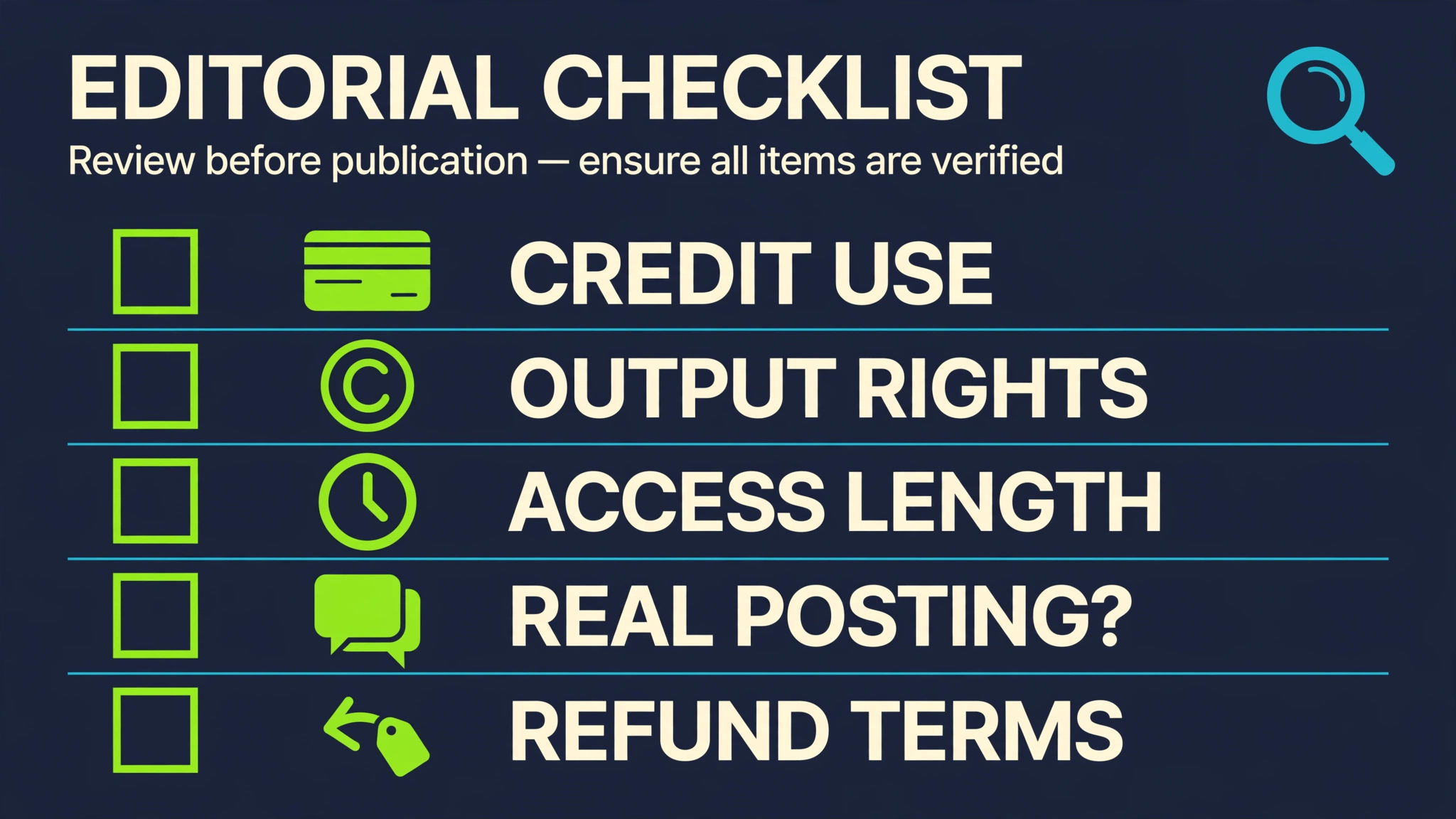
Refund checklist
- Save your receipt, order ID, and the order-page screenshot on day one.
- Write down the date your 30-day window ends.
- Log any bug or blocked feature with a screenshot and timestamp.
- Contact support early, in writing, and note when you did.
- Avoid using up most of your credits before you decide.
A 30-Minute DirectorAI Buyer Checklist
This is a proposed test plan. We have not run it. It is designed to answer the open questions above in your first session, with as little credit use as possible.
- Confirm checkout and billing (5 minutes). Read the order form for price, billing cadence, and credit terms. Save a screenshot.
- Note your starting credit balance. You need it to calculate cost per video.
- Create one short brief-to-video clip in your intended format. Use vertical for Reels, Shorts, and TikTok, or the aspect ratio you actually publish in.
- Record the credits used. Repeat in a second studio if you plan to use more than one.
- Inspect the output. Check lip-sync, caption accuracy, music volume, aspect ratio, export quality, and whether the script makes claims you cannot support.
- Test Director Mode and Auto-Mode on the same topic. Note what Auto-Mode lets you review.
- Check how "posting" works. Look for account connections or scheduling. If none, assume manual export.
- Ask support in writing about output rights. Request confirmation of commercial use for generated videos, voices, avatars, and stock assets.
- Test one studio you actually need, such as translation into your target language, rather than every studio.
- Decide before the window closes. Keep, ask for help, or request a refund, with your notes in hand.
DirectorAI Alternatives: How It Compares to HeyGen, Synthesia, and InVideo
We did not research current prices or feature lists for other products, so this section compares workflow categories and the questions to ask, not who wins. Check each vendor's current page before deciding.
| Tool type | Typical strength | Question to ask versus DirectorAI |
|---|---|---|
| HeyGen and Synthesia (AI avatar video) | Presenter-style avatar videos with a focus on that format. | Does DirectorAI's avatar quality, voices, and rights terms match a specialist for your use? |
| InVideo AI and Pictory (AI video creation and editing) | Turning scripts, articles, or prompts into edited videos. | Does DirectorAI's trend-research step add value over writing your own brief? |
| Canva and CapCut (DIY editing) | Hands-on editing with full control over timing and style. | Is the time you save worth the credit limits and less control? |
A fair DirectorAI vs HeyGen, DirectorAI vs Synthesia, or DirectorAI vs InVideo test uses one script or brief in each tool and compares the same five things: output quality, credits or minutes consumed, editing control, export options, and commercial terms. The comparison is about structure. DirectorAI's pitch is the research and direction step plus six studios in one purchase. A specialist's pitch is depth in one format. Which matters more depends on whether your bottleneck is ideas or production quality.
Review the DirectorAI offer before comparing alternatives
Is DirectorAI Worth It?
It is worth a small, documented test if you make short marketing videos regularly. It is not yet worth relying on for client delivery or paid campaigns until you confirm credits, rights, and posting. The concept is strong. The documentation does not yet match the ambition.
Who should consider the Standard card
Solo creators, affiliates, and small business owners who want to test an AI video marketing tool at a low entry price. Standard fits if you plan modest volume, want to try the studios, and can live with manual export. The 10,000-credit balance is the thing to measure.
Who may need the Complete bundle
Heavier users and small agencies who find in testing that 10,000 credits run out quickly, or who want the named upgrades. Because the benefits of those upgrades are not clearly explained on the page, ask what each does before paying $397. Do not buy the bundle on the strength of the bonus list alone.
Who should wait before buying
- Agencies and freelancers who need output rights confirmed in writing.
- Teams that need direct posting, scheduling, an API, or specific integrations.
- Buyers who need a predictable monthly credit budget.
- Anyone who would buy mainly because of the income examples.
Final Verdict: DirectorAI Review 2026
DirectorAI scores 6.8/10 in this source-based DirectorAI review. On paper it solves a real problem for marketers: knowing what to make before making it. Combining trend research, scripting, and six video studios in one tool is a coherent product idea, and a $27 displayed entry price keeps a trial inexpensive.
The score stops short of 7.5 or higher because buyer-critical facts are missing. Credit cost per video is not published. "Unlimited" is not reconciled with finite credits. Auto-Mode approvals and direct posting are undefined. The Terms do not establish access duration or output rights. The refund policy is narrower than the headline, and the income and engagement claims are unsupported. None of those gaps is fatal. All of them can be checked in a short trial, which is how we suggest you approach it.
If you decide to try it, buy through the checkout, save your receipt and terms, run the 30-minute checklist, and decide inside the refund window. If your work depends on commercial output rights, get them in writing first.
Try the DirectorAI AI video generator with the 30-minute checklist
Get the current DirectorAI Standard or Complete offer
DirectorAI FAQ
What is DirectorAI?
DirectorAI is an AI creative director and video generator. According to its sales page, you enter a goal, it researches trends, writes a brief and script, and produces a video across six studios.
How much does DirectorAI cost?
The page displays Standard Access at $27 one-time with 10,000 credits and Complete Access at $397 one-time with 50,000 credits. We did not verify live checkout, so confirm the price and billing terms before paying.
Is DirectorAI a one-time payment or a subscription?
The package cards say one-time, but the page also says the offer may move to a recurring plan later. The Terms do not define access duration or renewal. Check the order form.
How many credits does one DirectorAI video use?
Not established. The sources we read give no credit cost per video, studio, or second. Measure your balance before and after a test clip.
Is DirectorAI really unlimited?
The page uses "unlimited" for uploads and storage, but also lists finite credit balances. How the two fit together is not explained.
Does DirectorAI post to social media automatically?
The page does not document direct posting or scheduling. It says you can post, run an ad, or deliver the video. Treat output as an exported file until confirmed.
What video types can DirectorAI make?
The vendor names six studios: Avatar, UGC, Faceless, Talking Photo, Podcast, and Translation, plus ads, explainers, product videos, and short social clips.
Can DirectorAI make AI UGC videos?
It lists a UGC studio for creator-style clips. We did not test quality. If you use them in ads, check each ad platform's rules on synthetic or AI-generated content.
Does DirectorAI translate videos?
The page claims translation and dubbing in 30+ languages. Accuracy and lip-sync quality in your target language are untested here.
What is the difference between Director Mode and Auto-Mode?
Director Mode lets you control format and angle and review the brief. Auto-Mode is advertised as hands-free. The page does not say which approvals remain in Auto-Mode.
Does DirectorAI include commercial rights?
The sales page says a commercial license is included. The official Terms do not define ownership or usage rights for generated outputs, so request written confirmation if it matters.
Does DirectorAI have a money-back guarantee?
There is a 30-day refund route, but the Refund Policy limits it to genuine issues that prevent use as described and that support cannot resolve in a reasonable time. Change of mind after extensive use may be denied.
Are the DirectorAI income examples reliable?
They are unverified. The page gives no method, timeframe, expenses, or proof of cause, and its footer says results are not indicative of future results.
What are good DirectorAI alternatives?
Common categories include avatar tools like HeyGen and Synthesia, AI video creators like InVideo AI and Pictory, and DIY editors like Canva and CapCut. Compare them with the same brief and the same checklist.
Who should not buy DirectorAI yet?
Buyers who need confirmed output rights, direct publishing, a fixed per-video cost, or income-based promises should wait until those points are confirmed in writing.
Sources and Method
We read the full DirectorAI sales page text, the official Terms of Service, and the official Refund Policy. Embedded sales-page audio and video were not transcribed. We did not buy the product, log in, generate videos, test trend data, or check live checkout and coupons. Scores reflect documentation quality and buyer-risk clarity, not software performance. Offers change, so verify live terms before you pay. Product names are trademarks of their owners.