

ProfitMaps AI is a Google Maps grid rank tracker and local SEO reporting tool built for freelancers and agencies who sell local search work. It scans the area around a business at many map points, turns the results into a visual report, compares competitors and drafts an AI action plan. This review covers what the product claims, what its pricing really implies, and who should buy which tier.
How we reviewed it: this is a source-based review. We read the official ProfitMaps AI sales page in full on October 21, 2026. We did not run scans, build client reports or test the software hands-on. Demos, sample businesses and results on the vendor's page are marketing material, and several are labeled by the vendor as made-up sample data. We treat none of them as proof of product performance.
ProfitMaps AI verdict: the short version
Score: 7.3 out of 10 (source-based, not hands-on tested).
- Best for: solo local SEO freelancers and small agencies who want a lower-cost way to show local map visibility to prospects and clients.
- Strongest idea: a multi-point map grid turns "you rank okay" into a picture a local business owner can read in seconds.
- Biggest question marks: scan accuracy and consistency are unverified by us, post-launch monthly pricing is not fully stated, and some agency features are described as arriving later.
- Buy-fit call: the entry tier is a reasonable low-risk pilot if you already sell, or plan to sell, local SEO services. It will not do the SEO work, find clients for you or guarantee a ranking change.
Affiliate disclosure: AI Growth Verdict may earn a commission if you buy through the links in this review. The price you pay at checkout is set by the vendor, and the commission does not change our score or verdict.
Check the current ProfitMaps AI offer on the official page

What is ProfitMaps AI?
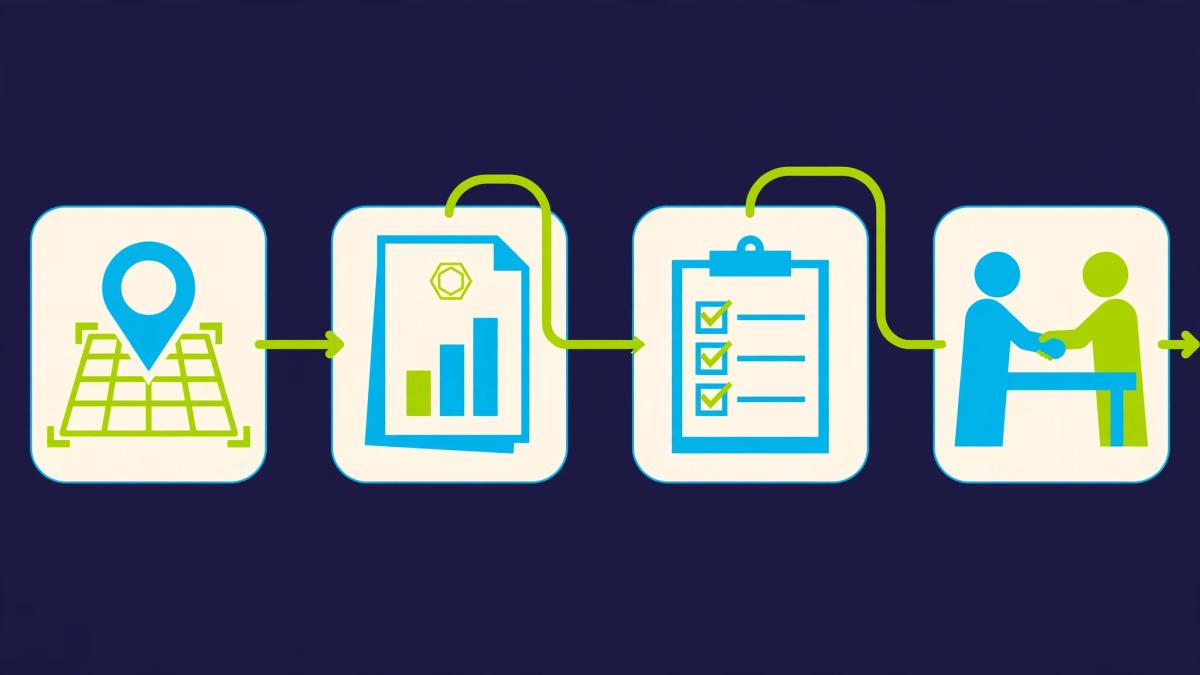
ProfitMaps AI is local Google Maps visibility software. The workflow described on the sales page has four steps:
- Pick a business and a search term, for example a plumber in a specific town.
- Scan an area around the business at multiple map points.
- Review a visual grid that shows where the business appears, where it drops out of the top three, and which competitors take those spots.
- Use an AI-written action plan, plus optional websites, local pages and Google Business Profile post drafts, to turn the gap into proposed work.
The commercial model is simple. A local owner rarely understands "map pack ranking." A color-coded grid of their own neighborhood is easier to grasp, and it gives a freelancer a concrete reason to start a conversation about local SEO services.
That makes ProfitMaps a measurement and service-delivery tool. It does not replace the work of improving a Google Business Profile, earning reviews, fixing citations or building local content. The tool shows where visibility is weak. A person still has to improve it.
How a Google Maps grid rank tracker works
Standard rank checkers report one position for one search from one location. Local map results change with the searcher's position, sometimes within a few streets. A grid tracker repeats the same search from many points laid out around the business and records the position at each point.
The result is a heatmap. Strong visibility usually clusters near the business and weakens with distance. That pattern is what makes a grid useful in a sales conversation: the owner sees their own service area, not an abstract number.
ProfitMaps offers a 5×5 grid (25 points) on the entry tier. Pro and the bundles go up to 9×9 (81 points), which gives finer detail over a wider area. The sales page says results are based on real Google Maps data. We could not verify the collection method, how consistent repeat scans are, or how closely results match what a given customer sees on their phone. Treat any grid as a useful snapshot and confirm key findings manually before presenting them to a client.

ProfitMaps AI features at a glance
Map-grid scans and competitor comparison
Each scan produces a grid of positions, a top-three visibility view and a comparison with competing businesses. For a local SEO agency, the competitor view matters most. It shows who owns the map pack in each part of the area, so your proposal can name specific rivals instead of speaking in generalities.
AI action plan
The tool writes a recommended plan based on the scan. Expect a starting framework, not a finished strategy. A competent local SEO should review it against the actual business, category and market before it goes to a client.
Branded reports and share links
Reports can carry your company name and logo and can be shared as a link or exported as PDF or CSV. Share links can be set to expire after 7, 30 or 90 days, or never, and can be revoked. Controlled sharing is a practical detail: a report sent to a prospect should not stay live forever by accident.
Websites, local pages and Google Business Profile drafts
The platform includes a website builder with lead capture, an AI site planner and editor, local articles and pages, and Google Business Profile post drafts. Two limits are worth stating plainly. AI-written pages and posts should be checked by a human before publishing. Google posts are drafts that you or the business owner copy and paste, not posts that publish automatically.
Keyword finder, ranking history and scheduled scans
A keyword finder, ranking history and recurring scheduled scans support ongoing reporting. Recurring scans are what turn a one-time audit into a monthly retainer deliverable, because they let you show progress over time. Each scan still uses credits.
CSV export and AI assistant connection
Data can be exported to CSV, and the page describes a connection to the user's own AI assistant through MCP. We did not test this integration, so we cannot comment on setup effort or reliability.
Pricing: what ProfitMaps AI costs and what the page does not say
Offer snapshot: captured from the sales page on October 21, 2026. The page advertises launch prices through Tuesday, October 27, 2026 at 11:59 PM EDT, after which it says new customers move to monthly billing. Terms can change, so confirm everything at checkout before you pay.
ProfitMaps AI Basic: $37 once during launch
- 10 businesses, with 2 keywords or searches per business
- 5×5 grid scans (25 points)
- 10 websites with lead capture
- 50 AI articles or pages per month for the first 500 buyers
- 1,250 starter credits, doubled to 2,500 for the first 500 buyers (the page estimates about 45 scans)
- The Google Business Profile course and a one-day live training
After the first 500 buyers, the page lists Basic at 5 websites and 10 AI articles or pages per month. After launch, Basic becomes a monthly plan, but the page does not state the monthly amount. That missing number is the main pricing gap in the entry tier. Basic does not include Business Finder, client accounts, white label or the 3-day workshop.
See ProfitMaps AI pricing and tiers on the official offer page
Gold Bundle: $297 once during launch
- 50 businesses with 5 keywords each, and scans up to 9×9
- 50 websites and 500 AI articles or pages per month
- Business Finder: 30 searches and 100 prospects per month
- 10 client workspaces, 3 team members and 10 white-label client accounts
- White-label reports, share pages and emails, plus email follow-up for leads captured through your websites
- Claim-your-site pages, a pitch pack and the Nov 2 to 4 three-day live workshop
- 20,500 starter credits for the first 500 buyers
The page says Gold moves to monthly billing after launch and does not give the amount.
Platinum Bundle: $797 displayed, $697 with the page's coupon
The sales page shows $797 for launch and applies the coupon code profit100 for $100 off, which makes the advertised launch total $697 once. That coupon is part of the vendor's page. Our affiliate link does not promise any discount, and we did not verify how the coupon behaves at checkout. After launch, the page states $297 per month.
- Everything in Gold, with unlimited businesses, keywords and websites
- Business Finder with fair use, and up to 1,000 prospects per month
- Agency Plus: unlimited client workspaces and team members, and 100 white-label client accounts
- 63,000 starter credits for the first 500 buyers

Features the page describes as delayed
Read the Platinum list with care. The page says white-label client accounts switch on 30 days after launch closes, from November 26, 2026. It also describes "client billing through your own Stripe" as rolling out after launch. Neither should be counted as day-one access when you compare tiers. "Unlimited" in Platinum also comes with fair-use language, and scans still consume credits.
The credit math
Credits are the real cost driver, so it helps to translate them. The page estimates about 45 scans from 2,500 Basic credits, which implies roughly 55 credits per 5×5 scan. That is our arithmetic from the vendor's estimate, not a published price list, and the app shows the exact cost before each scan runs.
- Launch Basic: Ten businesses with two keywords each is 20 business-keyword pairs. About 45 scans covers each pair twice. That is enough for a pilot, a handful of prospect audits and a first before-and-after report, but not for many months of recurring scans across ten clients.
- Standard Basic credits (1,250): At the same implied rate, that is roughly 22 scans, about one per pair.
- Larger grids: 9×9 scans cover 81 points instead of 25, so we expect them to cost more credits per scan. The page does not state a figure we could use, so check the in-app cost first.
Two relief valves exist. Credit top-ups start at $10, and users can connect their own data account so scans use no credits. The page also says website generation and AI writing do not use credits within plan limits. If you plan to run frequent recurring scans, budget for top-ups or the own-data option from the beginning.
The page includes a 30-day money-back guarantee. We did not review its full terms, so read them before purchase.
What the grid can and cannot prove
A grid report is persuasive. It is also easy to over-read.
What it can show
- Where a business appears, and where it disappears, for one search term and one date.
- Which competitors outrank it in each part of the service area.
- Whether visibility improves after you do work, if you repeat the same scan setup over time.
What it cannot show
- Why a business ranks where it does. The grid is a symptom report. Causes such as category choice, review velocity, proximity, website relevance and profile completeness still need analysis.
- That rankings will rise. The sales page says rankings and income are not guaranteed, and that is the correct stance. Never promise a client a position.
- Revenue impact. A top-three position at 60 of 81 points is a visibility metric. Calls, direction requests and booked jobs need separate tracking.
The sales page leads with a statistic that 57 of 79 plumbers are not in Google's top three. That is vendor marketing and an illustration of the pitch, not a result ProfitMaps demonstrated. The page also cites broader local SEO statistics as market research, not as ProfitMaps outcomes. Keep that separation in your own sales conversations: market data supports why local visibility matters, and your client's own scan supports the specific gap.
Watch the ProfitMaps AI video
The video below is a supplementary overview of the product. Like the sales page, it is a presentation, not independent testing, so weigh its claims the same way.
The service workflow: from scan to paid local SEO work
ProfitMaps works best when you see it as the front end of a service business. A realistic flow for a freelancer looks like this:
- Choose prospects yourself. You decide which local businesses fit your offer. Business Finder, available in Gold and Platinum, helps surface candidates, but the selection and the judgment stay with you.
- Run a scan and review it. Check the grid against a manual search or two before you present it.
- Send a short, honest message. You write or approve the outreach, send it and handle the replies. The tool does not close clients for you.
- Propose scoped work. Use the action plan as a draft, edit it, and set your own prices.
- Deliver and report. Optimize the profile, publish reviewed local pages, and run recurring scans to show change.
Gold's email follow-up applies to leads captured through the websites you build, which is separate from cold outreach. Do not confuse the two. Cold outreach remains something you design and send yourself, and you carry responsibility for compliance with the rules that apply in your market.
The map messages and replies shown on the vendor page are labeled as sample data. Do not read them as typical response rates.
Pros and cons
What works
- The grid format makes local visibility easy to explain to non-technical business owners.
- Competitor comparison gives proposals specific targets.
- Branded reports with expiring, revocable share links suit client-facing work.
- The entry tier has a low launch price and a stated 30-day money-back guarantee.
- Scans show their credit cost before running, which prevents surprise usage.
- The all-in-one scope (scans, websites, local content drafts, training) reduces how many tools a solo freelancer needs.
What to weigh carefully
- We did not test scan accuracy, repeatability or report quality.
- Monthly prices for Basic and Gold after launch are not stated on the page.
- Credit limits can run out quickly if you scan many businesses or use large grids.
- Basic excludes Business Finder, client accounts and white label.
- White-label client accounts and Stripe client billing are described as delayed.
- AI-written pages, plans and posts need human review and real local expertise.
- A scan measures visibility. Improving it is a separate job that takes time and skill.
Who should buy which ProfitMaps AI tier?
Solo freelancers and consultants: start with Basic
If you sell local SEO to a few clients and need a clean visual report, the entry tier covers the core job: a 5×5 scan, competitor view, branded report and a course. The deciding questions are whether 5×5 resolution is enough for your clients' service areas and whether you can live with the post-launch monthly model. Because the monthly amount is not stated, check it before you rely on the tool for client delivery. You can look at the ProfitMaps AI offer here and confirm the terms on the checkout page.
Small agencies: consider Gold for the workflow features
Gold adds the pieces an agency needs: 9×9 scans, client workspaces, team seats, Business Finder, white-label reports and a pitch pack. It makes sense if you already have a sales process and expect to run many scans per month. The monthly cost after launch is not stated, so model your margin before you commit.
Larger agencies: Platinum only if the roadmap matters to you
Platinum's value rests on volume (unlimited businesses, 100 white-label accounts, 1,000 prospects per month) and on features that arrive after launch. At $297 per month after launch, you are paying for capacity you may not use immediately. Buy for what is available now and treat the rollout items as upside.
Who should skip it
- Business owners who want a tool that fixes their rankings without any SEO work.
- Anyone expecting automatic client acquisition, or revenue guarantees.
- Marketers who only need one occasional rank check. A single scan may not justify a new subscription.
ProfitMaps AI alternatives to compare
Several established local SEO rank tracking tools offer grid-style reports, and general SEO suites include local tracking features. Before buying, compare grid sizes, per-scan costs, white-label report options and billing models side by side. Pay particular attention to how each tool charges once the introductory period ends, because the long-term cost matters more than the launch price.
ProfitMaps AI review: final verdict
ProfitMaps AI earns 7.3 out of 10 on the evidence available. The product idea is strong and well matched to a real sales problem: showing local business owners where they are invisible on Google Maps and giving the freelancer a structured way to propose work. The grid, competitor view and branded report suit that job.
The score stops short of an 8 for four reasons. We did not test the scans. The after-launch monthly prices for Basic and Gold are not disclosed on the page. Credit allowances will constrain heavy use. And part of the Platinum value depends on features scheduled to arrive after launch.
Buy if you already sell, or are ready to sell, local SEO services and want a visual reporting layer at a low entry price. Wait if you need white-label client accounts today, or cannot accept an unstated monthly price. Skip if you expect software to do the SEO work or promise results.
Review the ProfitMaps AI offer and current terms
Affiliate disclosure: AI Growth Verdict may earn a commission if you buy through the affiliate links on this page. This review is based on the vendor's public sales page as of October 21, 2026, and we have not hands-on tested the software. Prices, bonuses and delivery dates may change, so verify them at checkout.
ProfitMaps AI FAQ
What is ProfitMaps AI?
ProfitMaps AI is a Google Maps grid rank tracker and local SEO reporting platform. It scans an area around a business at multiple map points, shows where the business appears in the top results, compares competitors and drafts an AI action plan.
How much does ProfitMaps AI cost?
As of October 21, 2026, the sales page lists a $37 one-time launch price for Basic, $297 for Gold and $797 for Platinum ($697 with the page's coupon). The page says new customers move to monthly billing after launch, and states $297 per month for Platinum only. Confirm all prices at checkout.
Is ProfitMaps AI a one-time payment?
Only during the advertised launch window, which the page lists as ending October 27, 2026 at 11:59 PM EDT. After that, the page says billing becomes monthly.
Does ProfitMaps AI guarantee better Google Maps rankings?
No. The sales page says rankings and income are not guaranteed. The software measures and reports local visibility and drafts content and plans, but improving rankings depends on the work you do and on factors outside the tool.
How big are the scan grids?
Basic scans use a 5×5 grid of 25 points. Pro and the bundles go up to 9×9, or 81 points.
How many scans do I get?
Scans use credits. The page estimates about 45 scans from the 2,500 launch credits on Basic. The app shows the exact cost before each scan, and top-ups start at $10.
Can I white-label ProfitMaps AI reports?
Reports can carry your company name and logo. Fuller white-label features, including client accounts and white-label emails, are in Gold and Platinum. The page says white-label client accounts switch on from November 26, 2026.
Is ProfitMaps AI good for local SEO agencies?
It fits agencies that want a visual local map ranking report and workflow tools for pitching and reporting. Gold or Platinum offers the agency features. Evaluate scan accuracy yourself, because we did not test it.
Does ProfitMaps AI find clients and send outreach for me?
No. Business Finder in Gold and Platinum helps you find prospects, but you choose them, review the messages, send outreach and manage conversations. Gold's email follow-up applies to leads captured through your websites.
Does ProfitMaps AI publish Google Business Profile posts automatically?
No. The tool drafts Google Business Profile posts, and you or the business owner copy and paste them. AI-written content should be reviewed before it goes live.
Is there a money-back guarantee?
The sales page states a 30-day money-back guarantee. We did not review the full terms, so read them before you buy.
Is this review based on hands-on testing?
No. It is based on the official sales page as of October 21, 2026. Vendor demos and sample data are not treated as verified results.