

Disclosure: AI Growth Verdict may earn a commission if you buy through the links in this review. The commission does not change the price you pay, and it does not change the score below.
Quick verdict: 6.5/10. TwinClips AI is a reasonable low-cost bet for a small business owner, coach or creator who wants talking-head style short videos built from one photo and a short voice sample. The $67 founder price is small enough to test a real workflow. The offer page contradicts itself on several details that decide value: how many videos 500 credits buy, how many languages are included, how many video styles are included, and what "lifetime" means. Resolve those before you pay.
Check the current TwinClips AI offer and checkout terms
TwinClips AI review at a glance
- What it is: an AI twin video generator and AI avatar video generator that, according to the vendor, builds a digital version of you from one photo and a roughly 30-second voice sample.
- Founder price observed: $67 one-time, checked October 22, 2026. Confirm the live price at checkout.
- Best for: solo operators, coaches, local service businesses, agencies and creators who publish short vertical videos and want to appear on camera without filming.
- Weakest point: conflicting plan details on the sales page, plus a "lifetime" license the FAQ defines as roughly five years.
- Review basis: this is a source-based review of the vendor's sales page and refund policy. We did not run the software or review generated videos, so every capability below is a vendor claim.
Editorial illustration: the photo-and-voice "twin" idea behind TwinClips AI. Not a product screenshot.
What TwinClips AI claims to do
TwinClips AI sells a script-to-video workflow for short social content. You give it a script (or ask its tools to write one), and the avatar speaks it in a cloned version of your voice. The vendor describes a pipeline of AI-written hooks and scripts, storyboards and B-roll, captions, templates, background options, basic editing, and vertical exports sized for social platforms. Video lengths on offer are 5, 10, 15, 30 and 60 seconds, with 60 seconds as the maximum.
The appeal is plain for the audiences we cover. A coach who dreads filming can ship a weekly clip. An agency can produce on-brand spokesperson clips for clients who will not sit in front of a camera. A local business can post consistent short videos without a studio. Voice cloning for marketing videos and an AI video creator for small business are crowded categories, and TwinClips AI competes mainly on a low one-time price rather than a subscription.
How the photo-and-voice workflow works
Based on the vendor's description, the process has four steps:
- Upload one photo. This becomes the face of your avatar.
- Provide a voice sample of about 30 seconds. This is the basis for the cloned voice.
- Write or generate a script. The hook and script helpers are meant to shorten the blank-page problem.
- Generate, edit and export. Pick a style, add captions, backgrounds and B-roll, then export a vertical clip.
The part no sales page can prove is output quality: lip sync, voice similarity, motion realism and how the avatar holds up on a phone screen. Those are the factors that decide whether viewers accept the clip or scroll away. Plan to judge them yourself on a short test script before committing a client project.
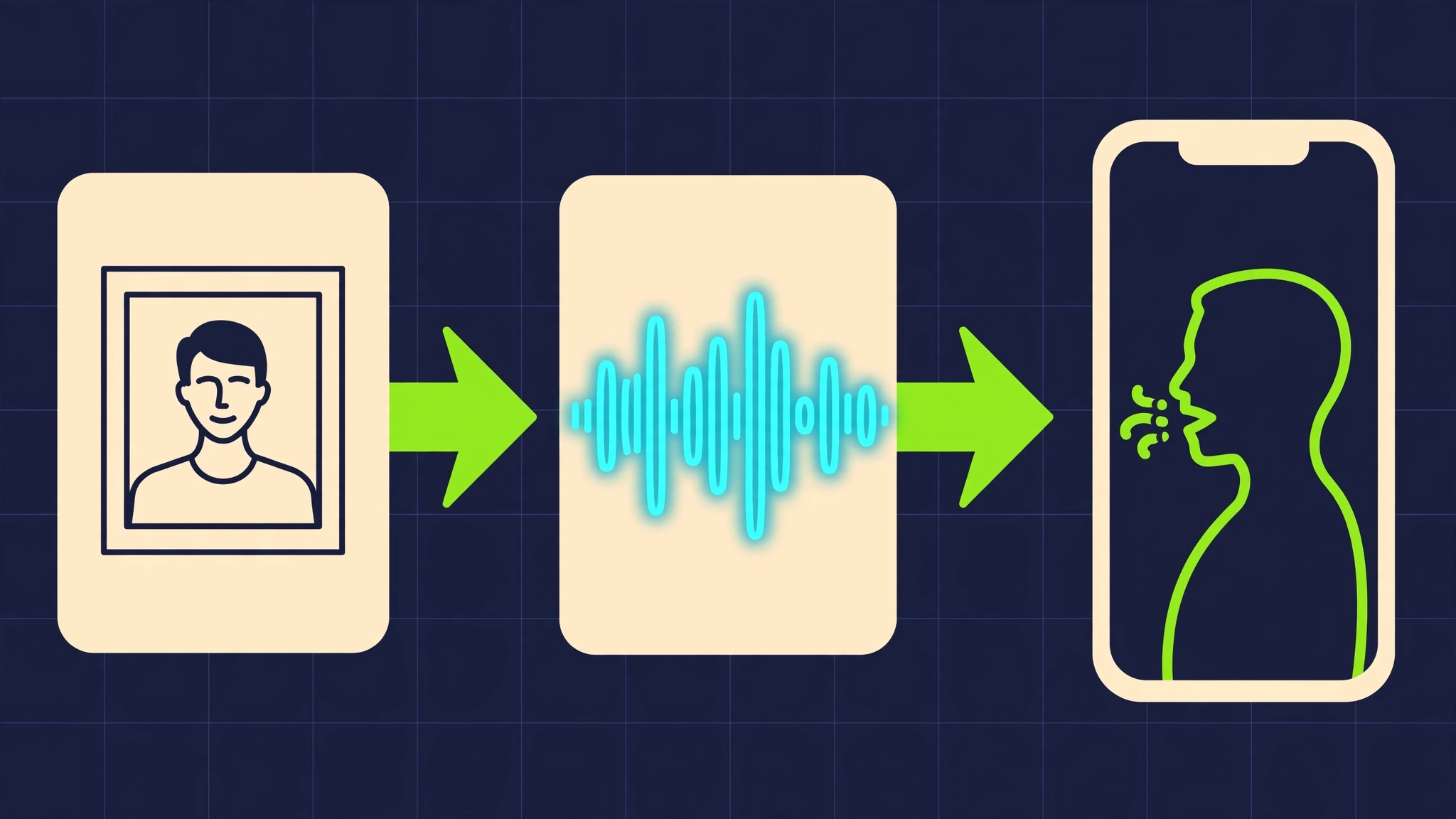
The vendor's photo, voice and vertical-video pipeline, drawn as a simple diagram. Not the actual interface.
TwinClips AI demo video
The video below is a supplied demo of the product. Treat it as vendor-style demonstration material that shows what the tool aims to do, not as independent proof of the results you will get.
TwinClips AI features: what the page lists
- Photo-based AI twin plus voice cloning from a short sample.
- Script-to-video generation with AI hooks and script help.
- Storyboards and B-roll to cover the cutaways a talking head needs.
- Captions, templates, backgrounds and basic editing inside the tool.
- Social-ready vertical export for short-form platforms.
- Lengths from 5 to 60 seconds.
- Commercial-use rights, as stated by the vendor. Read the actual license text before using clips for paying clients.
The feature list is broad for the price. Breadth on a sales page is cheap to claim, so the useful question is depth: how good is each part? A mediocre caption tool matters less than a mediocre avatar, and the avatar is the one thing you cannot check from the page.
TwinClips AI pricing: the $67 founder offer
On October 22, 2026, the founders page showed a one-time price of $67 with a crossed-out reference price of $159, and a "58% savings" label. A separate banner on the same page claimed 81% off. Those two figures cannot both describe the same discount, so we are not repeating the 81% number, and we cannot independently verify that $159 was ever a standard price. Judge the offer on the $67 you would actually pay, and confirm current terms at checkout because founder pricing can change.
A one-time $67 payment compares well against monthly AI avatar subscriptions in general terms, but we have not verified any competitor's pricing here, so we leave the head-to-head to a future comparison.
What "lifetime" means here
The page calls the license "lifetime." Its FAQ defines the product's lifetime as approximately five years on average. Read that plainly: you are buying access for a period the vendor estimates at about five years, not a permanent right. At $67, roughly $13 a year is still modest, and it is a fair deal if the output is good. It is a poor fit if you expected to build a multi-year content engine on a tool that may be retired.
The 500-credit math
The package includes 500 video generation credits. The FAQ states that one credit equals one second of video, and it also says the credits cover up to 90 videos of up to 15 seconds each. Those two statements do not reconcile. Here is the arithmetic, which is a derived estimate and not a tested usage result:
- At one credit per second and 15-second clips: 500 ÷ 15 = about 33 videos.
- For 90 videos from 500 credits, the average clip would be about 5.6 seconds (500 ÷ 90).
- Ninety clips at a full 15 seconds would need 1,350 credits.
- At 30 seconds each: about 16 videos. At 60 seconds each: about 8 videos.
- At 10 seconds each: 50 videos. At 5 seconds each: 100 videos.
Actual output depends on clip length, how many regenerations you need and the credit terms in force at purchase. Budget for retries: a first render that misses on pacing or lip sync still uses seconds. If you plan more than a few dozen videos, confirm how additional credits are priced before buying.

Credits are a fixed budget: fewer long clips or more short ones. Editorial illustration.
Unresolved plan details: languages and styles
- Languages: feature sections mention 50+ languages, while the included-package list names 15. Treat 15 as the safer assumption until the vendor confirms what your plan includes.
- Video styles: one section lists four styles, while the package list shows three included: Studio, Cinematic and AI Scenes. Assume three unless support confirms a fourth.
If you publish in a language other than English, check support for your specific language before purchase. A language-count difference this large matters more to a multilingual coach than any price difference.
See TwinClips AI founder pricing and what is included
Refund policy: what the 60-day guarantee covers
The sales page advertises a 60-day money-back guarantee. The official refund policy is narrower and more precise: a qualifying purchase advertised with the guarantee may be refunded within 60 calendar days. Additional credit-pack purchases are non-refundable. In practice, the founder purchase has a 60-day window, while any extra credits you buy later fall outside it.
That distinction affects how you test. Use your included credits early, evaluate the output within the window, and avoid buying a credit pack until you are sure the tool earns its place. We cannot independently establish how smoothly refund requests are handled, so request one promptly if the product does not fit and keep your order details.
Social proof on the sales page
The page displays a 4.8/5 rating from "1,000+ reviews." The material we scanned does not name a third-party review platform, so this is vendor-presented proof. It is a data point to ask about, not a verified customer satisfaction score. Check independent communities and video walkthroughs for unscripted opinions on output quality.
Strengths and drawbacks
Strengths
- Low one-time price that lets you test a real workflow for $67.
- Low input requirement: one photo and a short voice sample, with no filming day.
- Full short-video toolkit claimed in one place: scripts, B-roll, captions, templates and vertical export.
- Clip lengths up to 60 seconds, which covers most short-form formats.
- A defined refund window of 60 calendar days on the qualifying founder purchase.
Drawbacks
- Internal contradictions on credits, languages, styles and discount size.
- "Lifetime" is about five years by the vendor's own FAQ.
- Output quality is unverified in this review, and quality is the whole product.
- Credits are finite, and extra credit packs are non-refundable.
- Unnamed source for the 1,000+ review claim.
- Commercial-use scope is a vendor statement that needs reading in full before client work.
Who TwinClips AI fits
- Solo coaches and consultants who need a steady stream of 15 to 30 second clips and dislike filming.
- Local service businesses that want a recognizable face on short promotional videos.
- Creators and affiliate marketers testing AI spokesperson content on a small budget.
- Small agencies prototyping avatar clips for clients, after confirming license scope.
Who should skip it, or wait
- Anyone who needs certainty about languages or styles before buying.
- High-volume producers who expect 90 or more videos from the included credits without checking the math above.
- Brands with strict realism standards where a weak avatar would damage trust.
- Buyers who want a permanent license with no five-year horizon.

Read the terms before you pay. Editorial photo illustration.
Pre-purchase checklist for TwinClips AI
- Confirm the price at checkout. We saw $67 on October 22, 2026. Ignore the discount percentage and the crossed-out figure.
- Ask support how many videos 500 credits cover at the clip length you plan to make, and whether regenerations cost credits.
- Confirm your language is included in your package.
- Confirm the included video styles (Studio, Cinematic, AI Scenes, and whether any others apply).
- Read the license text for commercial use, client work and what happens at the end of the roughly five-year product life.
- Prepare test material: a clear front-facing photo and a clean 30-second voice recording with no background noise.
- Test early. Make two or three short clips in the first days and decide inside the 60-day window.
- Hold off on extra credit packs until the tool proves itself, since they are non-refundable.
TwinClips AI review: frequently asked questions
Is TwinClips AI worth it?
It is worth a small test for creators and small businesses that publish short vertical video, mainly because of the $67 one-time price and the 60-day refund window on the qualifying purchase. We rate it 6.5/10 from the available sources, and the score would move with hands-on proof of output quality and clearer plan terms.
How much does TwinClips AI cost?
On October 22, 2026, the founders page showed $67 one-time. Confirm current checkout terms before paying, as founder offers can change.
Is TwinClips AI really lifetime?
The page says lifetime, and its FAQ defines the product's lifetime as approximately five years on average. Treat it as multi-year access, not permanent.
How many videos do 500 credits make?
If one credit equals one second, 500 credits produce about 33 videos at 15 seconds, 16 at 30 seconds or 8 at 60 seconds. The page's claim of up to 90 videos at up to 15 seconds each does not fit that math, so confirm with the vendor. These figures are derived estimates, not tested results.
How does the AI twin video generator work?
You upload a photo and a voice sample of about 30 seconds, supply or generate a script, choose a style, and export a vertical video, according to the vendor.
How long can TwinClips AI videos be?
The vendor lists 5, 10, 15, 30 and 60 second options, with 60 seconds as the maximum.
How many languages does TwinClips AI support?
The page says 50+ in one place and lists 15 in the package. That conflict is unresolved, so verify your language first.
Can I use TwinClips AI videos commercially?
The vendor advertises commercial-use rights. Read the full license for client work and resale before relying on it.
What is the TwinClips AI refund policy?
A qualifying purchase advertised with the guarantee may be refunded within 60 calendar days. Additional credit-pack purchases are non-refundable.
Is TwinClips AI a good AI video creator for small business?
It targets that use case with scripts, captions, templates and vertical export in one tool. Whether the avatar quality meets your brand standard is the open question.
Final verdict: 6.5/10
TwinClips AI earns a 6.5/10 as a source-based verdict. The price is low, the workflow is easy to understand, and the refund window gives a real chance to test. The score stops short of higher because the offer page contradicts itself on credits, languages, styles and discount size, because "lifetime" means about five years, and because output quality remains unverified here.
Buy if you want a cheap trial of a photo-and-voice avatar workflow for short social videos and you will test it within 60 days. Wait if your use depends on a specific language, a high clip volume or a permanent license.
Try TwinClips AI at the current founder price
Pricing, credits and terms were observed on the vendor's sales page on October 22, 2026 and may change. Confirm current terms at checkout. AI Growth Verdict may earn a commission from purchases made through links on this page, at no extra cost to you.